Creating Committee Agendas and Minutes Pages
Create a New Page
- Open your committee’s home page in a web browser.
- Scroll to the footer at the bottom of the page. Select the copyright symbol to log
in.

- After logging in, open the Content menu at the top of the page and select Files.

- Navigate to your committee’s minutes folder and open it.

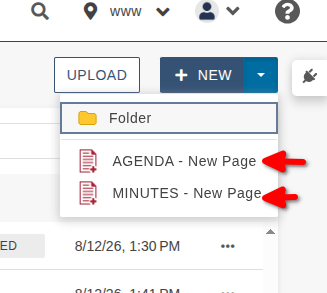
- Select New in the upper-right corner. Then choose the appropriate page type:
- For an agenda, select AGENDA – New Page.
- For minutes, select MINUTES – New Page.
- Complete the page information:
Filename: Enter the document type followed by the meeting date. Do not include spaces or slashes.
- Agenda example: agenda09012026
- Minutes example: minutes09012026
Committee Name: Enter the committee’s full name.
- Example: Curriculum Committee
Meeting Date: Enter the date in MM/DD/YYYY format.
- Example: 09/01/2026
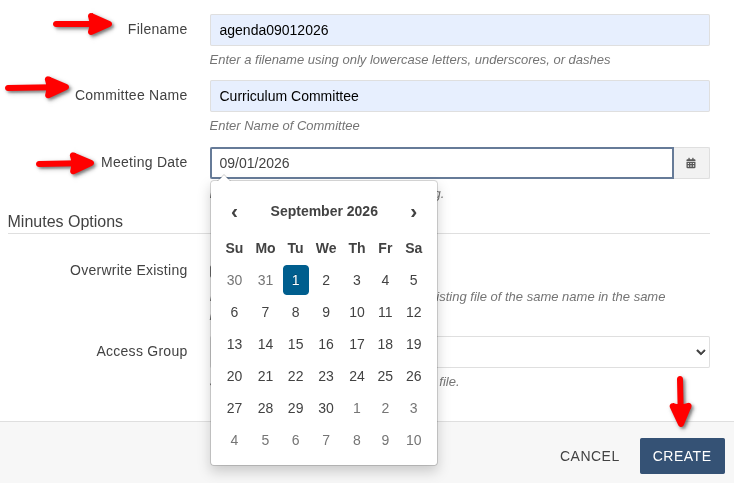
Review the information, and then select Create in the lower-left corner.
How to Print
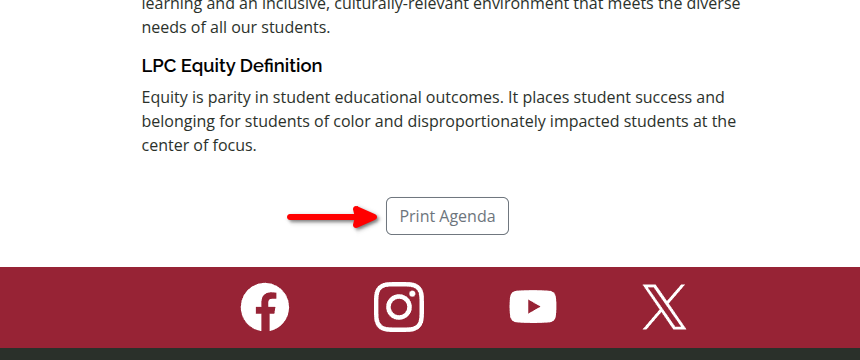
Scroll to the bottom open the page, just above the red bar. Click on the PRINT button.